
Proper document management is an important part of managing your business as it can easily affect everything from compliance to productivity. Growing companies must find a way to efficiently manage and streamline their document management processes as part of making the digital transformation. NetSuite provides a powerful set of document management tools that allow users to manage key records efficiently.
In this guide, we’ll go into the world of NetSuite document management and discuss its features, benefits, and best practices. By the end of this guide, you will be ready to optimize your processes and fully take advantage of NetSuite’s document tools.
Benefits of Proper NetSuite Document Management
First, let’s start by taking a look at what is at stake when you take advantage of the document management tools and features included with your NetSuite licenses.
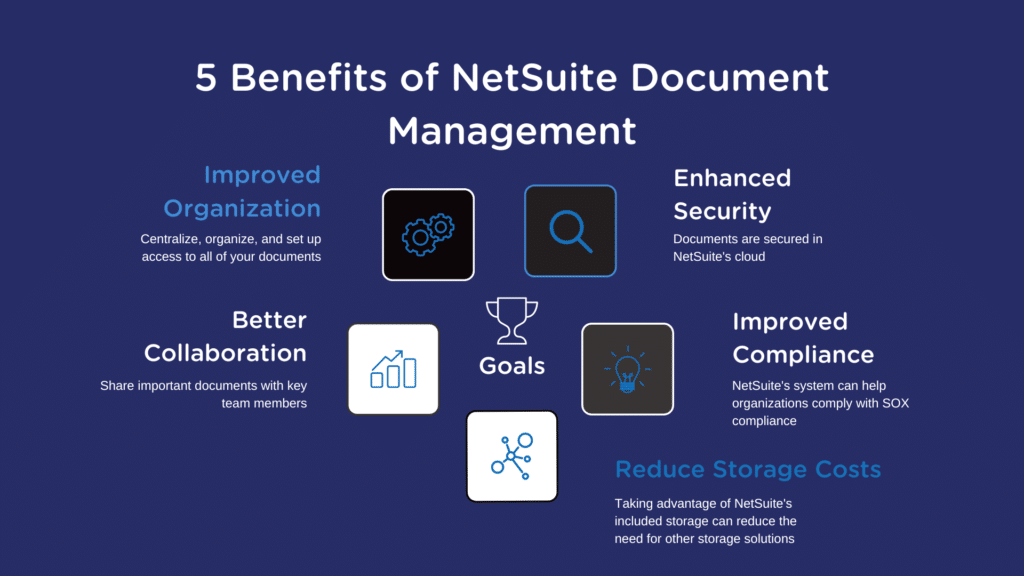
- Improved organization: With NetSuite, businesses can save all of their important documents in a single, convenient database, making it simpler to manage and access them. Since workers can easily find and retrieve the necessary information, this can boost efficiency and productivity.
- Better collaboration: NetSuite document management allows employees to share and collaborate on documents, making it easier to work together on projects. This can lead to better teamwork and faster completion of tasks.
- Enhanced security: Proper document management provides organizations with a safe place to store sensitive documents and control who has access to that information. Users of NetSuite’s storage also have access to the same robust security protocols as all other NetSuite data.
- Improved compliance: Properly managing your key financial documents will also help organizations with SOX compliance. This is especially helpful to businesses that have plans of going public any time soon.
- Reduced costs: Finally, by relying on NetSuite to store your document you can reduce redundancy within your organization and save on cloud storage costs.
NetSuite Document Management Features
First, let’s discuss the various features included in NetSuite’s document management toolbox to get an understanding of its capabilities.
File storage
NetSuite enables businesses to store all types of files, including Microsoft Office documents, PDFs, images, and videos, in a central location. Depending on your “Service Tier” you will be allotted a certain amount of space. You can use the chart below to see how much space you may have access to.
| Service Tier | File Storage (GB) |
|---|---|
| Standard | 100 |
| Premium | 1000 |
| Enterprise | 2000 |
| Ultimate | 4000 |
Pro Tip: Take advantage of the subfolders feature and organize your documents by subcategories.
Document Search
NetSuite’s document search tool is a powerful way to sort through your business documents and locate the file you want quickly. Some features included in this tool are:
- Advanced search capabilities: The document search function allows users to search for documents using a variety of criteria, such as keywords, document types, date ranges, and more. Users can also save search parameters for quick access later.
- Full-text search: The search function can search the full text of documents, including PDFs and other file types, making it easy to find specific information within documents.
- Customizable search filters: Users can create custom search filters to narrow down their search results based on specific criteria, such as department or location.
- Saved searches: Users can save commonly used searches for quick access later, eliminating the need to recreate the same search criteria each time.
- Results preview: The search function allows users to preview search results before opening the actual document, making it easier to quickly find the right document.
- Cross-functional search: The document search function allows users to search across multiple modules within NetSuite, including financials, inventory, and sales, among others.
Pro Tip: Set up Automated Numbering to provide an extra category to sort documents by and reference with colleagues.
Controlled Access
NetSuite offers its users several different ways to restrict access to files so that only the users who need to have access can access them. Here are the ways you can restrict access to NetSuite documents:
- User Roles: NetSuite allows you to assign user roles with different levels of access to documents. For example, you can create a role that only allows users to view documents or a role that allows users to edit and delete documents.
- Permissions: Within each user role, you can set permissions for specific actions, such as viewing, editing, deleting, or sharing documents. You can also set permissions based on document type, folder location, or other criteria.
- Folder Permissions: NetSuite allows you to set permissions for specific folders, so only authorized users can access the documents within them.
- Document Sharing: NetSuite allows you to share documents with specific users or groups, giving them access to documents that they would not otherwise be able to view.
Pro Tip: Note that NetSuite provides an audit trail that shows who accessed what document and if changes were made.
Take Advantage of AI
Our final tip for NetSuite users on how to improve their NetSuite document management processes is to look outside of native NetSuite features and explore what the latest in AI tools can do for your business. Today’s tools can use a technique called OCR or Optical Character Recognition to scan documents for key information.
The tool we recommend for our clients is Square-9. Square-9 goes beyond simple OCR to automate AP processes such as approvals, matching, and integration. Tools like Square-9 can save your business hours time when it comes to paying vendors and invoices. To learn more about Square-9 you can check out their website Here, or watch this brief video below.
Final Thoughts
As we discussed, proper NetSuite document management can save your business money and make collaboration between departments much easier. And with the latest breakthroughs in AI technology, having an organized document system will provide a strong platform to automate processes in the future.
If you think I missed a key document management benefit or if you have a tip of your own you would like to share, please leave it in the comments. Finally, if you want some expert advice for managing your NetSuite ERP, reach out to the expert NetSuite consultants at eMerge for advice.

Related Posts

What is a NetSuite Sandbox? Best Guide 2024
Contact us! NetSuite Sandbox Overview Ever make a simple mistake that takes hours or even days to clean up? With NetSuite, it’s unfortunately possible. You could think a new integration would boost efficiency. However, not…

- May 24

How to Find Best NetSuite Support: Top Guide 2024
NetSuite Support Overview Whether you’re thinking about purchasing the fastest growing cloud ERP on the planet or already using it, this guide will help you understand all the ways NetSuite support can be offered to…
- May 23